Repeatable environments
Generate a predictable local Odoo setup for each product.
Start here
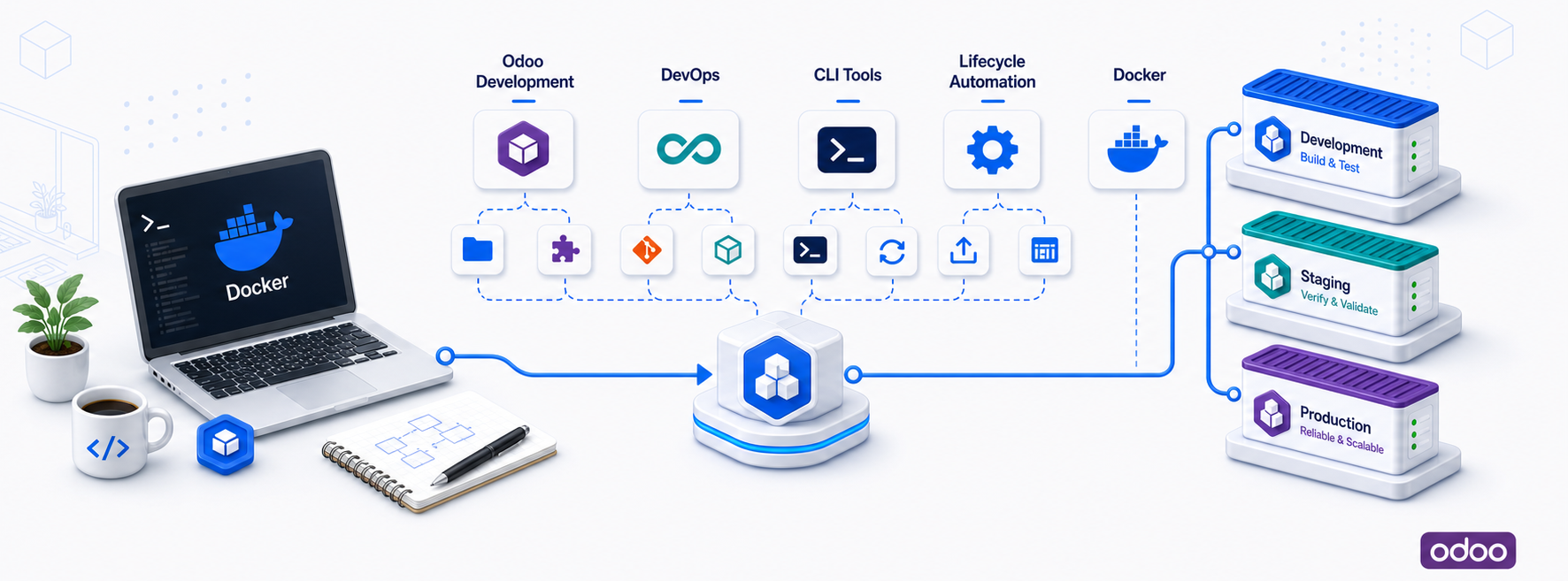
Repeatable Odoo dev environments, clean addon repos, and one cockpit for daily module work.

$ npx @wpmoo/toolkit
$ cd <product>_dev
$ ./moo$ pnpm dlx @wpmoo/toolkit
$ cd <product>_dev
$ ./moo$ yarn dlx @wpmoo/toolkit
$ cd <product>_dev
$ ./moo$ bunx @wpmoo/toolkit
$ cd <product>_dev
$ ./mooNo long Docker commands. No guessing addon paths. No mixing generated runtime files with product source code.
Every Odoo project tends to need the same setup work:
WPMoo turns that recurring setup into one repeatable Odoo workflow.
./moo start
./moo update my_module
./moo test my_module
./moo snapshot dev before-refactor
./moo doctor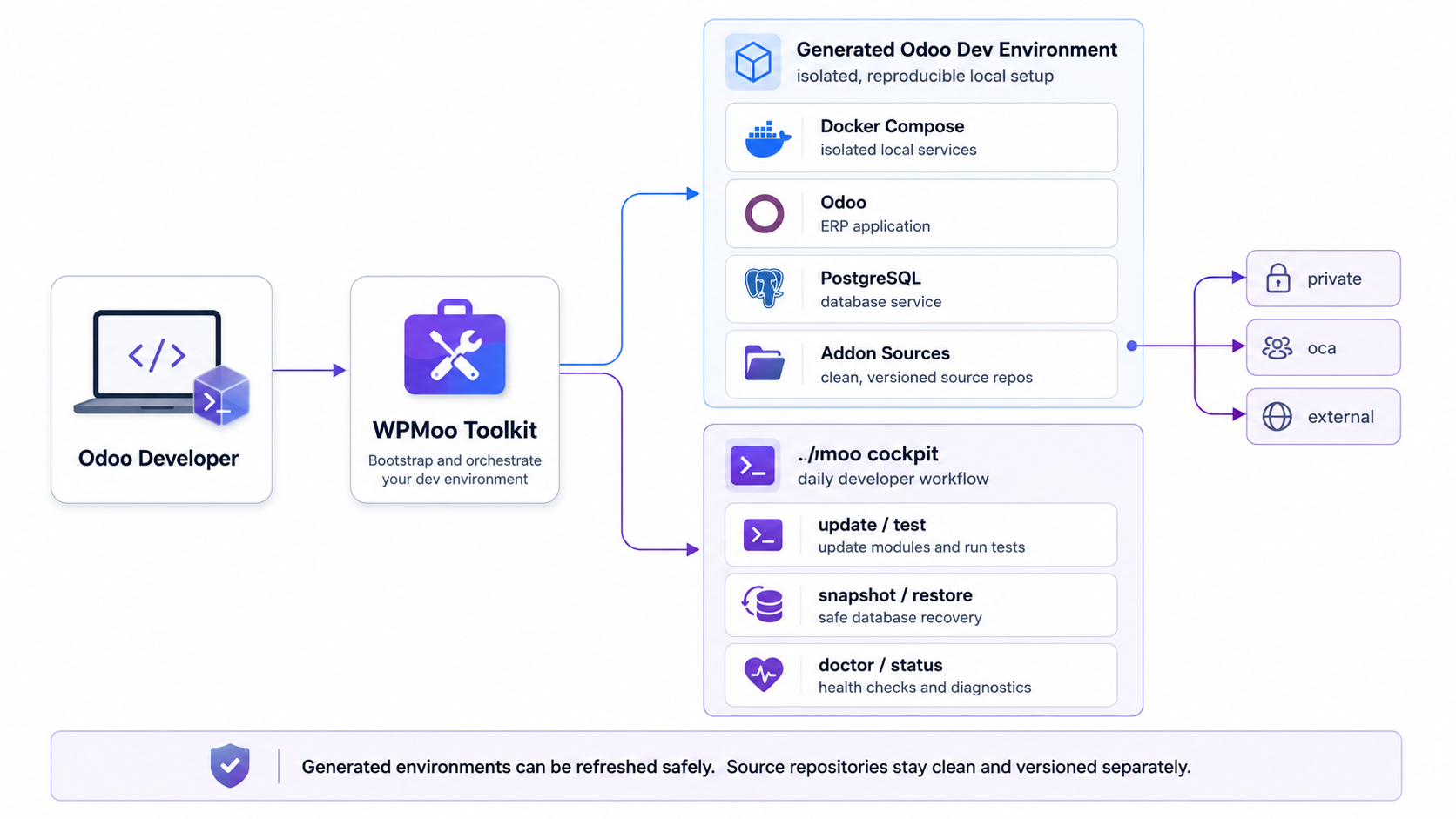
odoo/custom/src/
|-- private/
|-- oca/
`-- external/
Your product source stays clean. Generated runtime files can be refreshed safely.
Legacy aliases are documented in the command reference.
WPMoo Toolkit is pre-1.0 and under active development.
It is already useful for local Odoo development workflows, but command behavior and setup conventions may still change before the first stable release.
WPMoo Toolkit is free software released under the MIT License.
It is independent from Odoo S.A. and is not affiliated with, endorsed by, or sponsored by Odoo S.A.